New Agent-first Git platform

See what your agents changed.

Decide what stays.

Keep using your coding agents and your existing repository. Review a registered run, return its branch to the run start while preserving pending work, and restore the prior state with Undo.

Private access by invitation. Request a demo to explore your workflow.

gitfloppy / workspace Product preview
Review before integration

Both changes are ready for your review. The review run is complete; main is unchanged.

Agents and proposed changes

See who is working and what needs your review.

Selected change

Session sign-in

Expired sessions are now rejected before sign-in.

Review and next decision

What needs your review

Check that expired sessions cannot sign in and valid sessions still work.

Your next decision

Inspect both proposed changes, then choose whether to integrate them.

Technical details and execution activity

Scope and recorded commit

  • src/auth.tsNo active reservation
  • src/session.tsNo active reservation
Recorded commit
c84e62b1

Execution activity

  1. Review finishes its checks without a commit. All reservations are released; main is unchanged.

Features

Control each run. Keep your pending work.

Inspect where agent changes came from. Preview returning a registered run’s branch to its start, preserve pending work, and restore the prior state with Undo.

Git essentials

Everything your Git workflow needs

Use the same workspace for day-to-day Git tasks. Open an example to try a workflow.

Selective staging

Prepare a focused commit without including unfinished changes.

Branches and worktrees

Keep parallel tasks on separate branches and in separate working directories.

GitHub and GitLab

Review pull requests and issues using your GitHub or GitLab account.

AI assistance

Explain diffs and draft release notes from your repository’s changes.

Cloud per repository

Connect selected repositories to your organization and other devices.

VS Code webviews · Sample repository

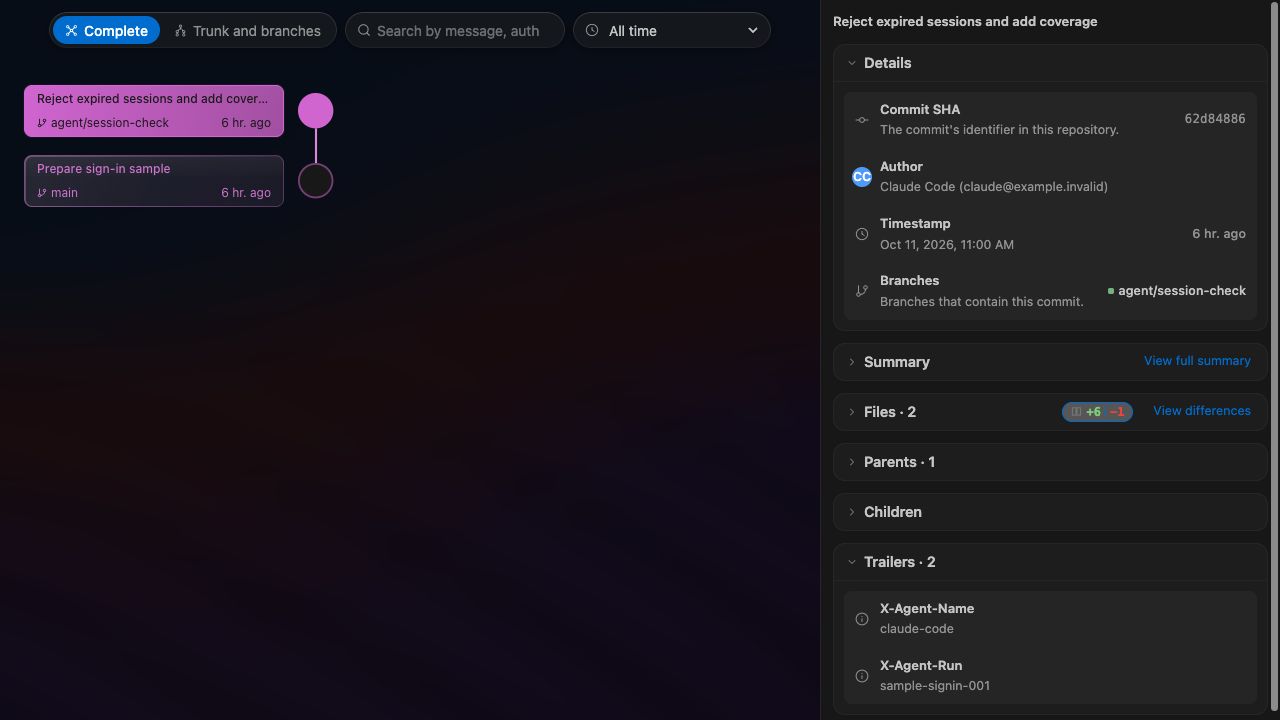
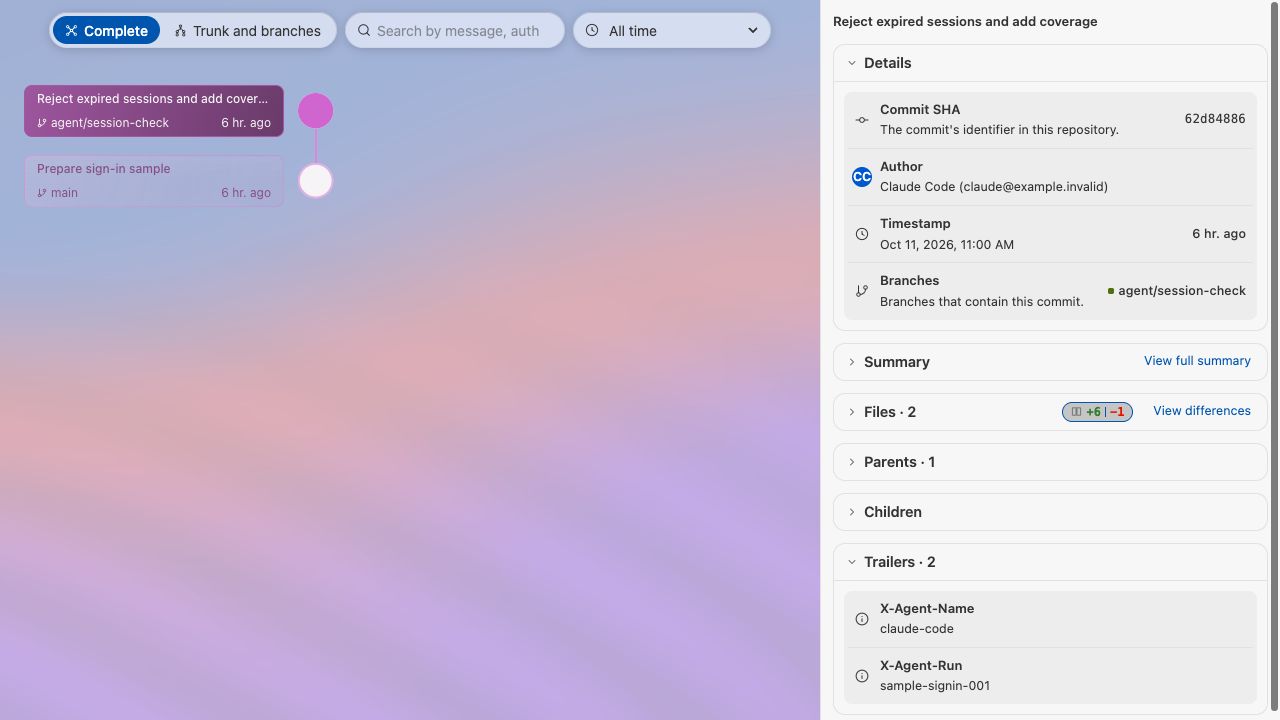
GitFloppy commit graph in a VS Code webview showing a sample repository, the recorded author, and agent trailers. GitFloppy commit graph in a VS Code webview showing a sample repository, the recorded author, and agent trailers.

Inspect the change and its origin

Inspect the recorded author and agent trailers alongside the commit graph.

Open the full screenshot Open the full screenshot
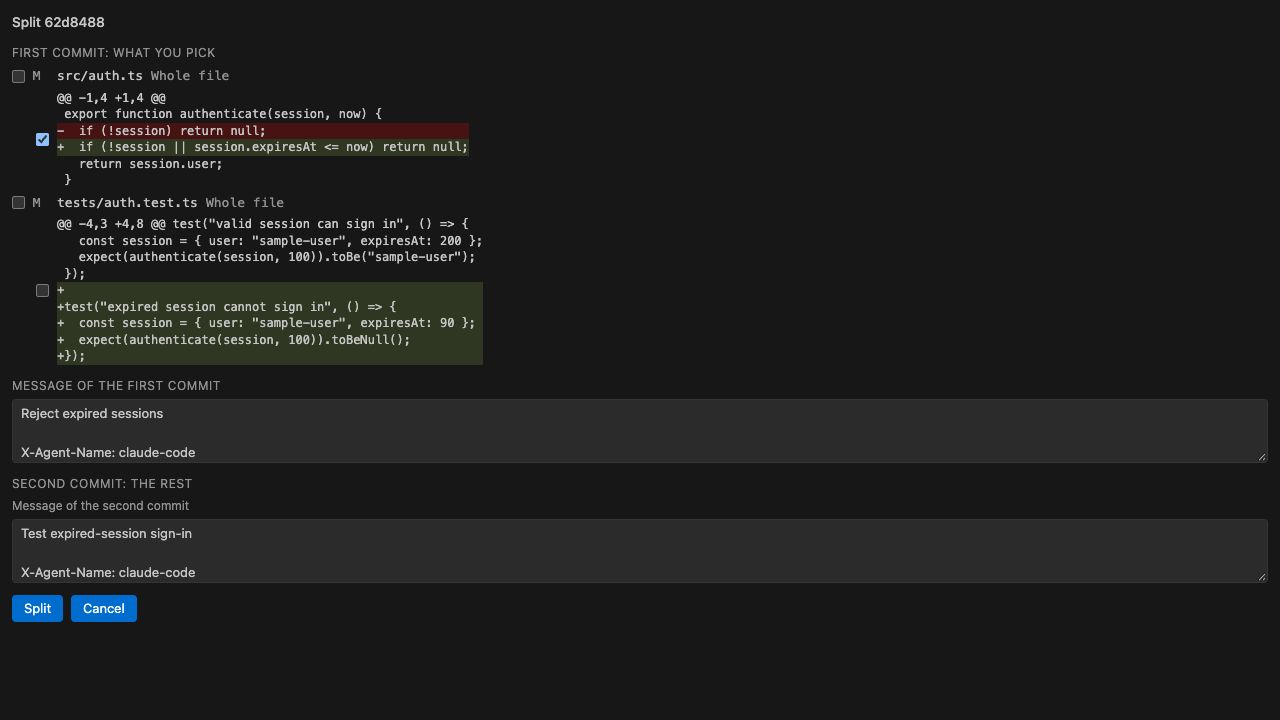
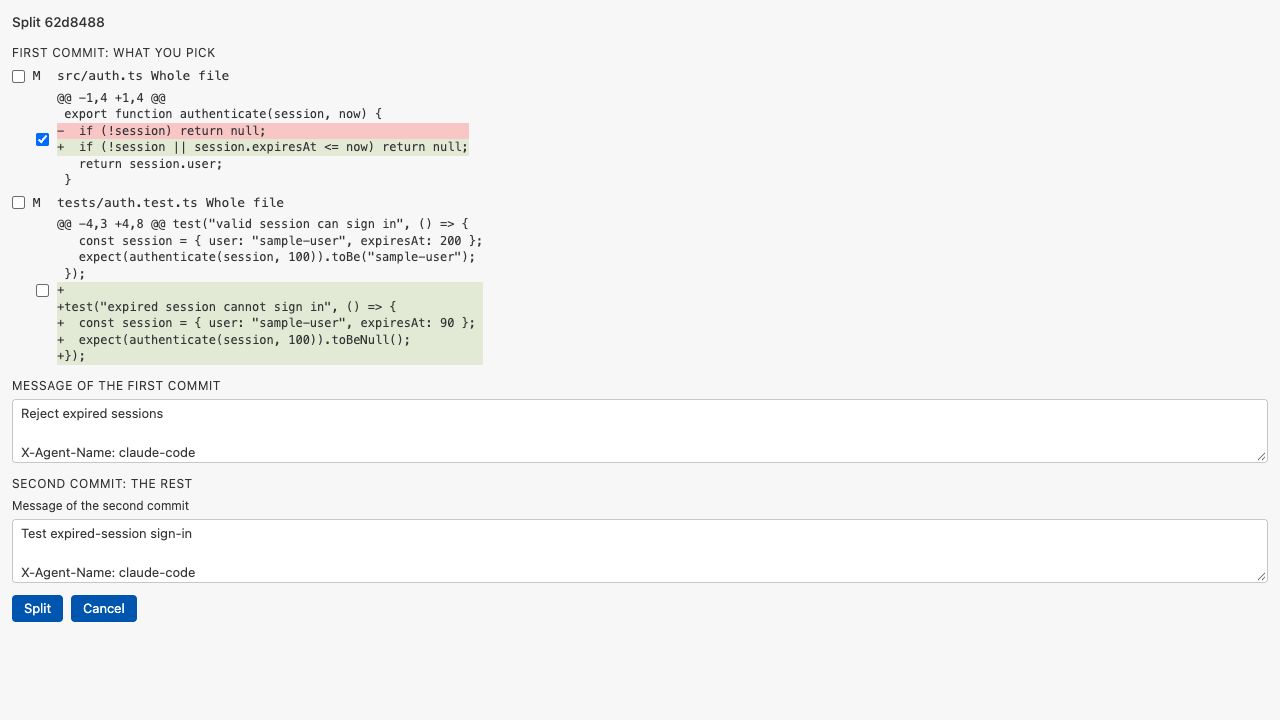
GitFloppy split-commit view in a VS Code webview with a file diff and selectable changes for a sample commit. GitFloppy split-commit view in a VS Code webview with a file diff and selectable changes for a sample commit.

Choose changes for a split

Review the diff and select changes before confirming the split.

Open the full screenshot Open the full screenshot

Privacy

Your code, your choices

Keep work local. Choose when to use cloud and AI.

Local by default

Work offline after your first sign-in. Your repositories stay local unless you enable cloud sync.

Cloud by choice

Enable cloud separately for each repository. Choose what connects to your organization.

AI with permission

Authorize code-based AI actions when you need them, independently of cloud sync.

Relevant context

Share the context an action needs, from selected changes to files involved in a conflict.

Models and tools

Coding agents keep their own models. Built-in assistance uses GitFloppy’s managed AI.

AI history

Revisit generated results and the model used. Saved results may include code excerpts.

Data and AI details

Roadmap

What comes next

The next capabilities for coordinating agent work across teams and tools.

  • Planned

    Signed attestations

    Signed records linking a run’s origin and scope to its commits.

  • Planned

    Policies and budgets

    Shared rules and operation limits for agents across machines.

  • Planned

    Access through MCP

    Access to GitFloppy operations from agent tools through MCP.

FAQ

Frequently asked questions

Answers about your repositories, agents, and day-to-day workflow.

Which coding agents does GitFloppy recognize?

GitFloppy reads Claude Code sessions, Entire checkpoints and registered runs. Other agents can be identified through Git trailers or registered with the GitFloppy CLI. Recorded evidence is distinguished from inferred attribution.

Are my repositories uploaded automatically?

No. Every repository starts with cloud disabled. You choose which repositories use cloud features.

Can agents overwrite each other’s work?

Reservations define which run owns each file or branch. Optional Git hooks check them before commits and branch updates. They do not lock file editing, so agents still need separate scopes or worktrees.

Are the demos connected to a real repository?

No. The interactive examples on this page use sample data and do not change a repository. The demo walkthrough can cover which workflows are available in each app.

Can I use my existing repositories?

Yes. GitFloppy works with existing Git repositories, branches, and history. You choose which repositories to open and whether to enable cloud features.

What happens after I request a demo?

We receive your request and contact you by email to coordinate a walkthrough and discuss private access by invitation, including the platform options for your workflow. The form does not book a time automatically.

Let’s talk

See GitFloppy in action

Tell us about your workflow. We’ll contact you to coordinate the demo and discuss private access.

We’ll use these details to respond to your demo request. Data and AI details

Prefer email? Contact us directly